This is the tutorial for new players interested in playing the Lav✧Labs ARPG. This tutorial will help you navigate the website as well as prompts, how to submit your character, use items, and more. Hopefully, the process is linear and smooth enough to get you on your feet. If you need, you can check out the FAQ as well!
HOW TO PLAY
If you're looking to join the group but not participate, or plan to participate later, you are free to do so! Please specify that in your join request to the Toyhouse World. Note that joining the website and ARPG proper is done through windows of sign up openings as we are able to manage the amount of players.
Step 0: Optionally join The Discord (link TBA)! Although you will need to join this website.
Step 1: Reading.
Please check INTRODUCTORY PAPERS and read at least "Origin and Goal", "About Variant/Domesticated", "Grading System Variants" (for Domesticated Pokemon), or "Grading System Clones and Shinies" (for Clones/Shiny Pokemon). The first part of the post is the lore and backstory!
Step 2: Sign up to the ARPG.
First, you'll need to sign up to the ARPG itself. You'll need an account on here to properly play. Currently, we don't have a mailing host so a verification email will not be sent. You can comment on this post or mention it in the Discord to let us know you've signed up and someone will manually verify your account when available. Next, you may submit your very first prompt to this prompt on the website. Once approved, you'll be given an item called EXPERIMENT FILES among a few other freebies!
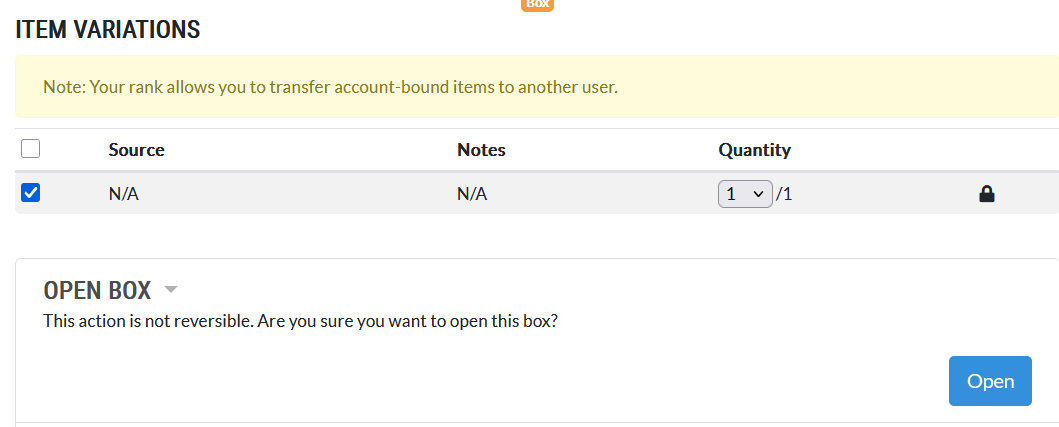
To open the item, navigate to your inventory and click the item. You will see a pop up with several options, click the check mark next to the Source (this is how you obtained the item) and the quantity to use, and click Open. You will receive your items!
Step 3: Design your character(s).
Remember to reference the INTRODUCTORY PAPERS when creating your characters. You'll note the item EXPERIMENT FILES grants you two slots for characters once opened (the Keycard!). This means when starting you may register two Experiments for free! For the full guide on creating and submitting your Experiment to Toyhouse, see CHARACTER SUBMISSION. For how to submit your character to the website using the Keycards, see the spoiler block below!
You do not need to be an artist to design a character! You can use a base to fill, commission an artist, or someone might be kind enough to design one for you! Currently, characters do need a visual reference of some form and an icon when submitting to the website.
Step 4: Submit your character to ToyHouse.
Optionally you may submit the character to ToyHouse and then to the World. For an example on how a character's profile should look, you can check CHARACTER BASE. You will be asked about a role when submitting to the World, but don't worry about it just yet. You can either select one from the role list or leave it blank. UNCATEGORISED role Experiments can change to a specified role at any time later. The roles will be explained in Missions.
Step 5: Explore more prompts.
Now that your character has been submitted, and you're officially participating in the ARPG, you should head to the MISSIONS AND QUESTS LIST to see which Missions or Quests are available to participate in! For what is and isn't allowed for Prompt Submissions, check the SUBMISSION GUIDELINES forum. You can do Missions at any time, and replay Missions with other characters if you want using the RE-CALL version of a Mission on the website. For full info please read the MISSIONS AND QUESTS LIST forum post, which also includes how to submit to a gallery tutorial.
You can also view prompts from the prompts list on here, but sorting them isn't super intuitive especially for people unfamiliar with Lorekeeper. As such, the forum post on the World is easier to navigate and hopefully will continue to be updated at the same time as the website.
Step 6: Have fun!
Follow the first few Missions (labelled as LOBBY) for new players to fully set up the rest of your "account" and get an idea for the ARPG! After that, it's up to you what you do next~. Come up with backstories for your OCs, interact with others, roleplay, doodle, etc!
HOW TO REGISTER A CHARACTER
- Go to your inventory and find the MYO item you've received.
- Select the item and on the popup, select the source, how many, and then click the USE SLOT drop down. Then click "Open".
- On the left click "My MYO Slots" and click on the slot you've created.
- On the left again, click "Submit MYO design" and "Create request"
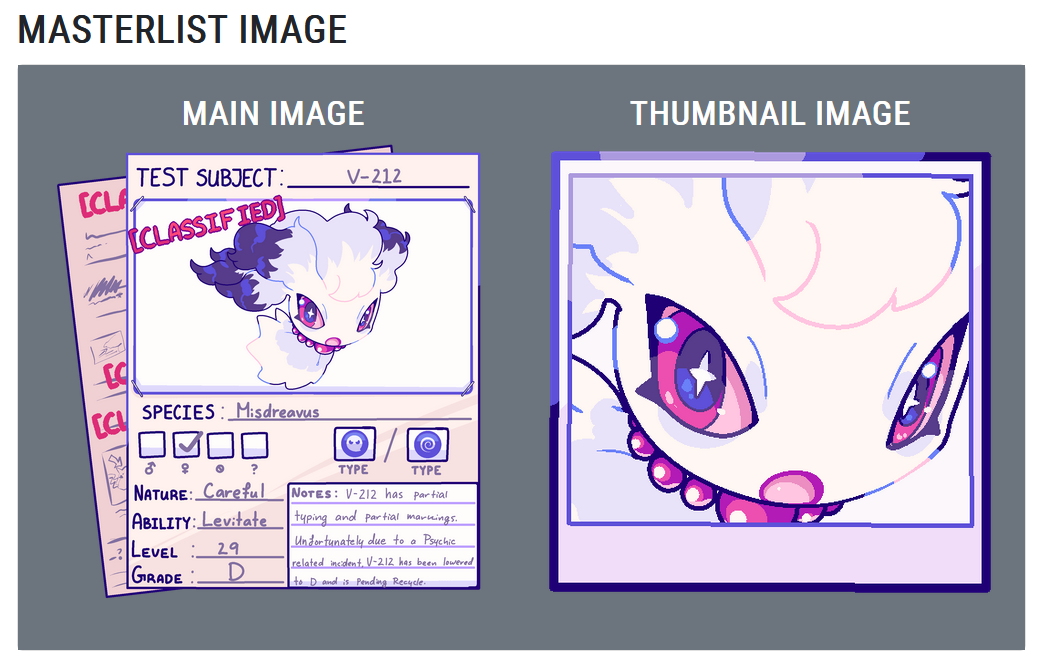
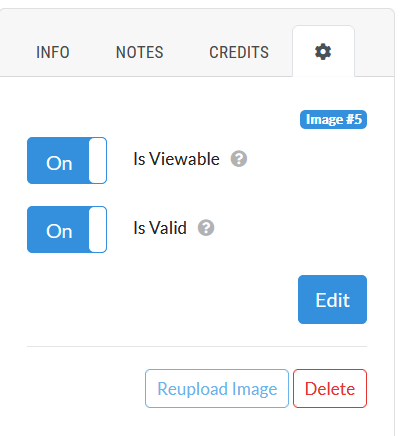
- In the Masterlist Image tab turn OFF the auto cropper. Upload your reference, and then in the thumbnail, your thumbnail at 500x500 px. You may use our F2U borders if you'd like for it! Please make sure your "MAIN IMAGE" is the example form version of your Ref. It does not need the number on the TEST SUBJECT line, you can always reupload the image later on the character's profile
- In this order in the TRAITS tab fill out this info. If your character does not have a role decided yet, you may put UNCATEGORISED for both ROLE 1 and ROLE 2. Roles can be changed later.
.
COLOUR GRADE (DOES NOT APPLY TO SHINY POKEMON WITHOUT NON SHINY CHIMERISM. ONLY USED FOR VARIANTS)
NATURE GRADE
CHARACTERISTIC GRADE
OVERALL GRADE
MARKINGS CATEGORY
ABILITY CATEGORY
TYPING CATEGORY
MUTATIONS
ROLE 1
ROLE 2
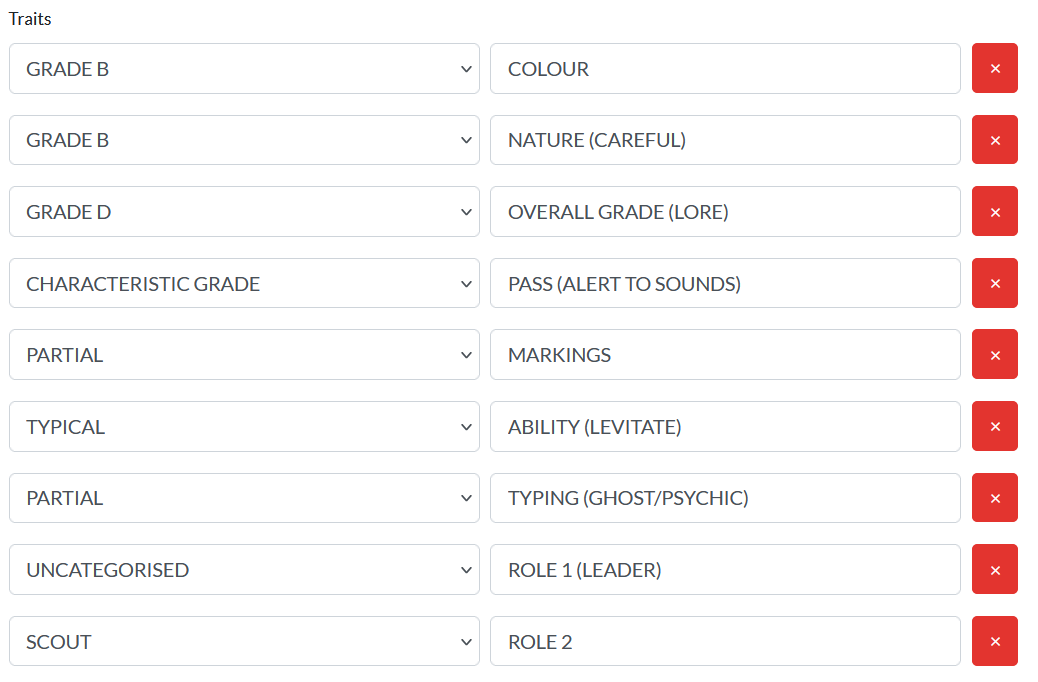
- Note that I put (Lore) in the OVERALL GRADE as otherwise this character would be Graded B, but due to their backstory was bumped down to D.
- In the ADD-ONS you may include any items you'd like to use on the character on submission. Currently we do not have mutation altering items but may include them in the future.
- In the COMMENTS section please copy paste the form below including info added to the TRAITS section.
- Please also include the list of numbers you'd like your character to be registered as in order of most desired to least. (Not applicable to outsiders). You can search the Masterlist on here to double check your number availability.
If you do not have any, you will be assigned one. - Near the bottom of the COMMENTS form please also include which area of research this Pokemon belongs to (CLONE, VARIANT, SHINY, OUTSIDER, ROGON)
. - COLOUR GRADE: (DOES NOT APPLY TO SHINY POKEMON WITHOUT NON SHINY CHIMERISM. ONLY USED FOR VARIANTS)
NATURE GRADE: /
CHARACTERISTIC GRADE: /
OVERALL GRADE: /
MARKINGS CATEGORY: /
ABILITY CATEGORY: /
TYPING CATEGORY: /
MUTATIONS: /
ROLE 1: /
ROLE 2: /
RESEARCH LABEL: /
PREFERRED ID NUMBERS: /
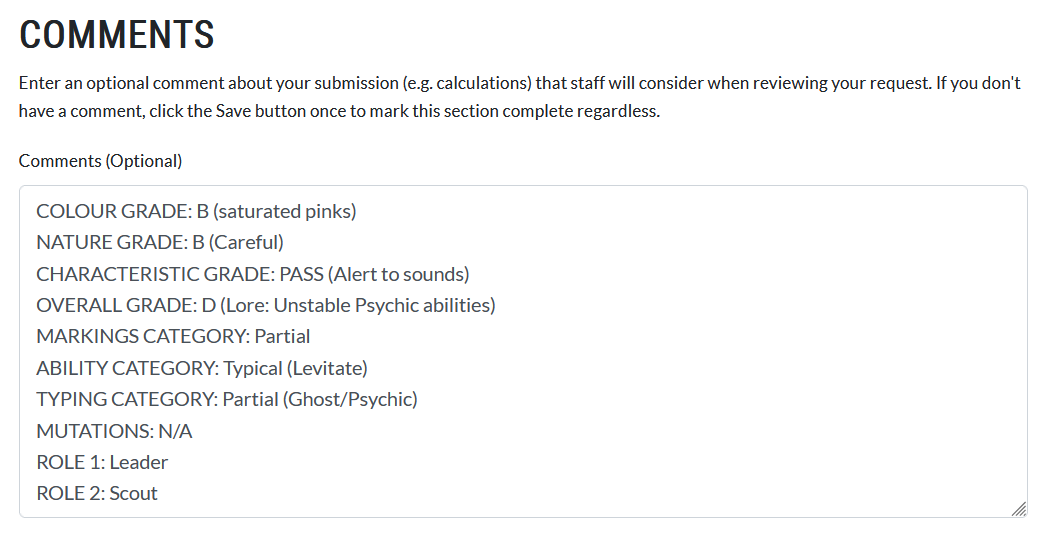
In the example above, I mentioned LORE as the reason for the Grade D Overall Grade, because otherwise this character would be a B. Characters cannot go UP in Grade due to lore but they can go DOWN. They can, however, be kept despite a low Grade when otherwise they'd be destroyed, if there is a lore reason for doing so, though the details isn't necessary in your application.
UPDATING A CHARACTER'S DESIGN AFTER POSTING
If you wanted to change or update a character's design after it's been submitted to the world, you can do so by navigating to the character's profile and on the left, clicking "UPDATE DESIGN".
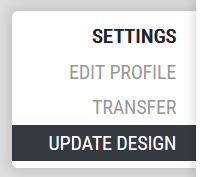
To add mutations to the character in post, you will need any appropriate items to do so. This includes the basic mutations, such as heterochromia. You can add the items in the "ADD ONS" section. Remember to fill out the TRAITS section and the COMMENTS field, still!
If you realise you've missed a trait and so did staff when submitting, or some other information is wrong, you can ask staff to revise it for you in the Discord or PLAYER HELP forum.
REGISTERING A ROGONSTORAGE UNIT
Players are required to design and submit at least one Unit, you will obtain at least one free MYO for an RS. RogonStorage Units can be submitted with their own MYO.
- Please follow the same outline as registering a normal Experiment, until you get to the TRAITS TAB, which does NOT need to be filled out
- The COMMENTS tab also does NOT need to be filled out. You may submit the character with both those fields empty.
.
.